gifgrep tui
Provider titles, search text, and status messages display control characters as visible escapes. Only gifgrep's own rendering can issue terminal commands.
The TUI is a small, opinionated terminal UI for browsing GIFs with animated inline previews.
gifgrep tui [<query> ...] [flags]gifgrep tui # launches ready to type a search query
gifgrep tui cats # initial query
gifgrep tui --source giphy cats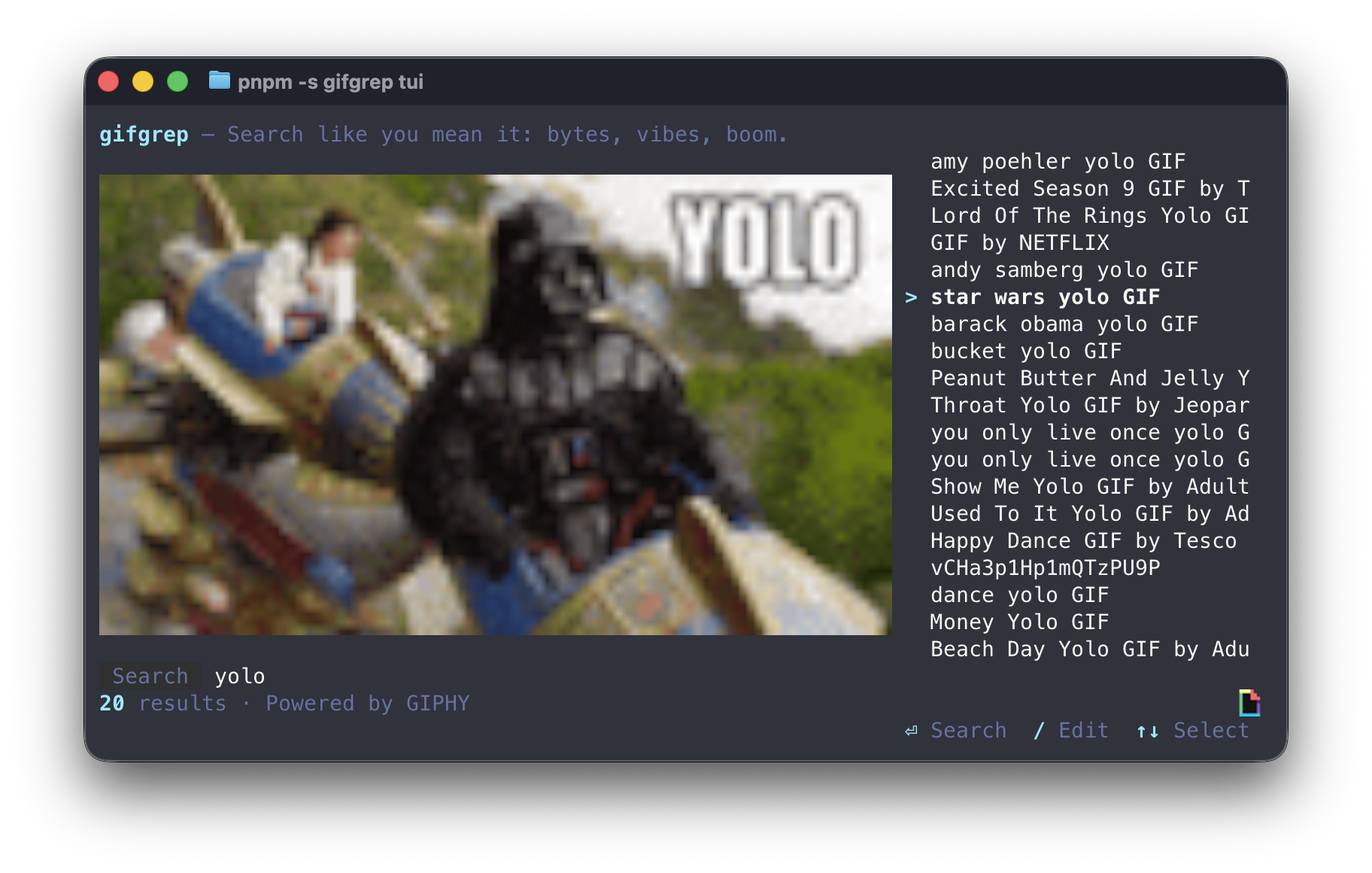
#Keys
| Key | Action |
|---|---|
/ | Edit search query. |
↑ ↓ | Move selection. |
d | Download current selection to ~/Downloads. |
c | Copy the selected GIF to the clipboard. |
f | Download if needed, then reveal the selected GIF. |
q | Quit while browsing; type q while editing a query. |
Ctrl-C | Quit from either mode. |
Esc | Return to browsing when results are available. |
Search editing accepts Unicode text, including accented letters, CJK characters, and emoji. Backspace removes one Unicode code point at a time without corrupting the query.
Selection stays within the visible result list as the terminal or preview size changes. Provider attribution follows the provider that supplied the results, including an auto fallback. Background downloads are cancelled and temporary preview files are removed when results are replaced or the TUI exits.
On Linux, clipboard copy prefers wl-copy in Wayland sessions (WAYLAND_DISPLAY or XDG_SESSION_TYPE=wayland) and xclip otherwise. Install wl-clipboard for Wayland or xclip for X11; if the preferred tool is missing, gifgrep uses the other installed tool. macOS uses its built-in clipboard integration.
Add --cache (or set GIFGREP_CACHE=1) to reuse explicit downloads across sessions, including GIFs saved by the CLI. The d/f actions still save to ~/Downloads. Cache location, age, and size flags match the download cache options; previews and prefetches remain temporary.
#Inline previews
The TUI streams animated previews using the Kitty graphics protocol on Kitty/Ghostty, OSC 1337 on iTerm2, Sixel where available, or a truecolor ANSI fallback when forced.
| Terminal | Animation playback |
|---|---|
| Kitty | Native. gifgrep uploads frames once; the terminal animates them. |
| Ghostty | Software playback (gifgrep ticks frames on a timer). |
| iTerm2 | Native — iTerm2 plays GIFs from raw bytes. |
| Sixel | Software playback (gifgrep redraws frames into the same cell area). |
| ANSI fallback | Software playback with truecolor half-blocks. |
| Apple Terminal | No graphics detected; use GIFGREP_INLINE=ansi to force truecolor. |
| tmux | Best with a graphics-aware host terminal; YMMV with image passthrough. |
Force or disable software playback:
GIFGREP_SOFTWARE_ANIM=1 gifgrep tui cats   # always tick frames in software
GIFGREP_SOFTWARE_ANIM=0 gifgrep tui cats # always trust terminal animation#Tweaking preview geometry
Some terminals report cell sizes that make GIFs look squashed. Override the cell aspect ratio:
GIFGREP_CELL_ASPECT=0.5 gifgrep tui cats   # default
GIFGREP_CELL_ASPECT=0.45 gifgrep tui cats # narrower#Provider selection
Same --source as search:
gifgrep tui --source giphy cats
gifgrep tui --source klipy cats
See Providers for the full matrix.
#When the TUI is the wrong tool
- For pipelines and scripts, use
gifgrep search. The TUI writes terminal control sequences to stdout. - For local frame extraction, use
stillorsheet. The TUI is search-first. - In a non-interactive shell (CI, cron), the TUI will refuse to start. Use
searchwith--json.